How to Redeem Your Scaler Music Code
Bought a Scaler Music product from an authorised reseller? You’ll have received a redeem code. Follow the steps below to add the product to your Scaler Music account and get your licence and installers.
Before you start
- Have your redeem code ready. You’ll find it in your order confirmation email or in your account with the store you bought from. It looks like this:
redeem-XXXXXXXX-XXXX-XXXX-XXXX-XXXXXXXXXXXX - You can use any email address for your Scaler Music account. It doesn’t need to match the one you used with the store.
- Already have a Scaler Music account? Log in and skip to step 3.
Redeem your code in 5 steps
Step 1
Create your Scaler Music account
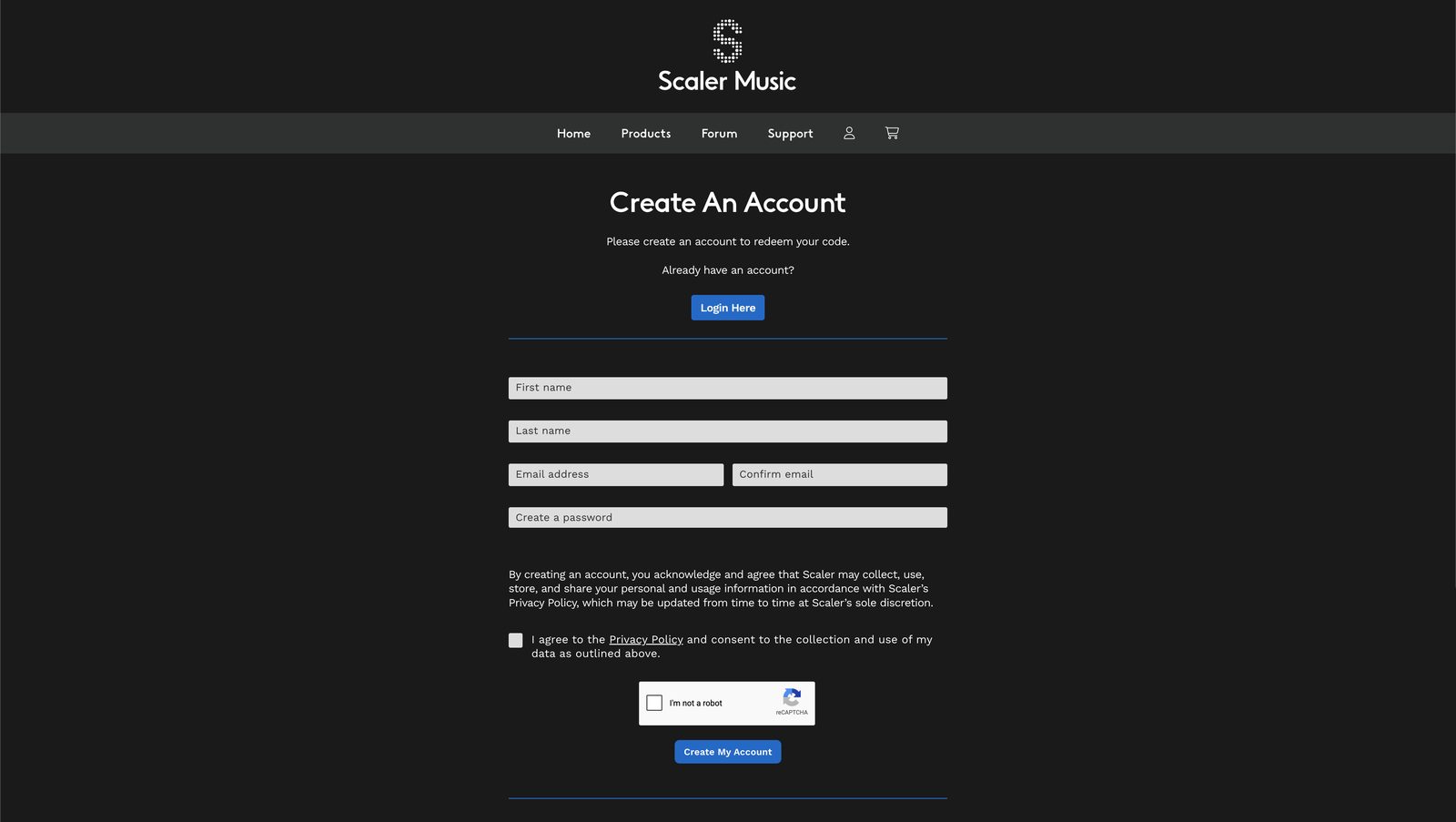
Go to scalermusic.com/redeem and fill in the form. If you already have an account, click Login Here instead.
Step 2
Click “Redeem My Code”
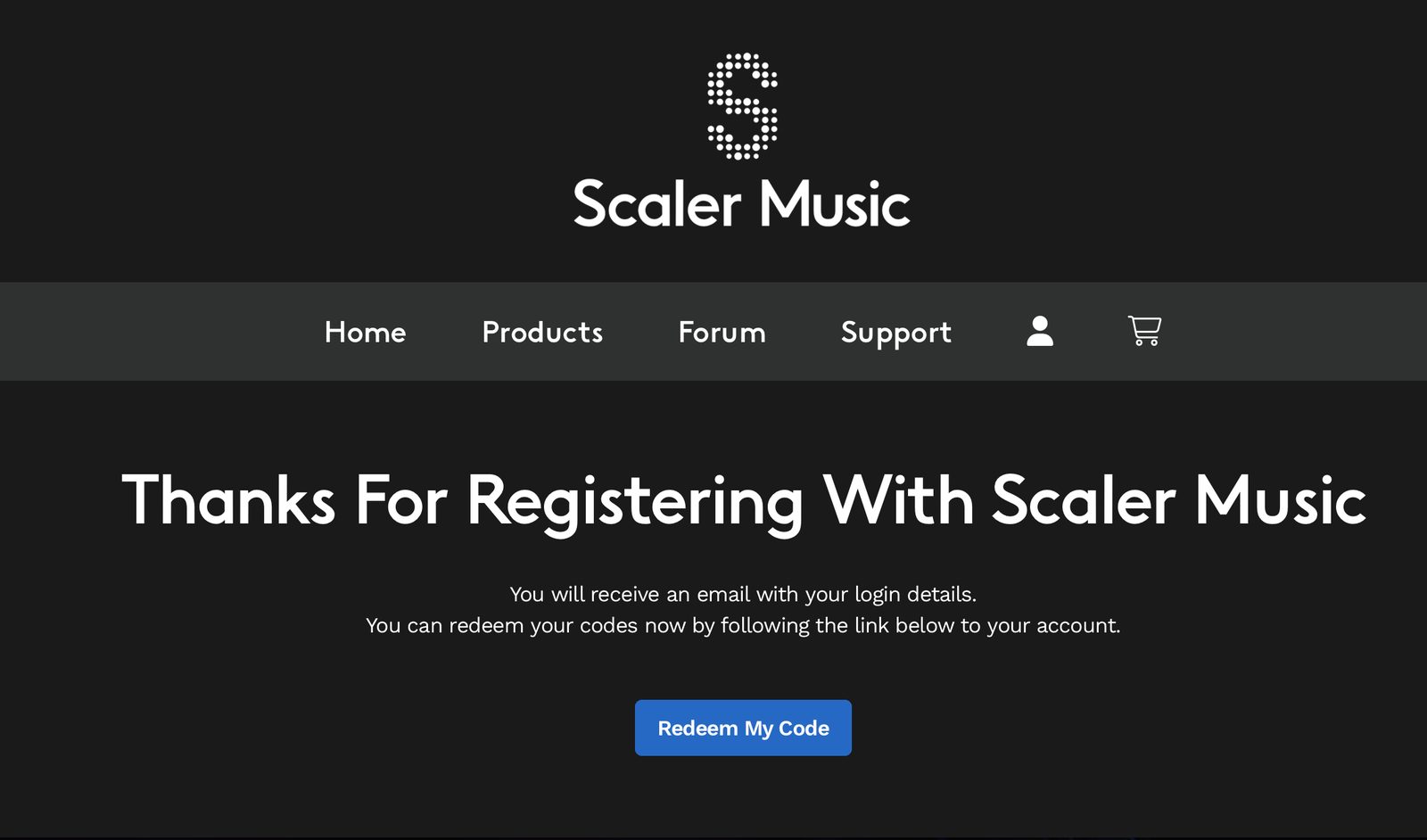
Once your account is created, click Redeem My Code.
We’ll also email you to confirm your account. If it doesn’t arrive, check your junk or spam folder. You don’t need to wait for it to carry on.
Step 3
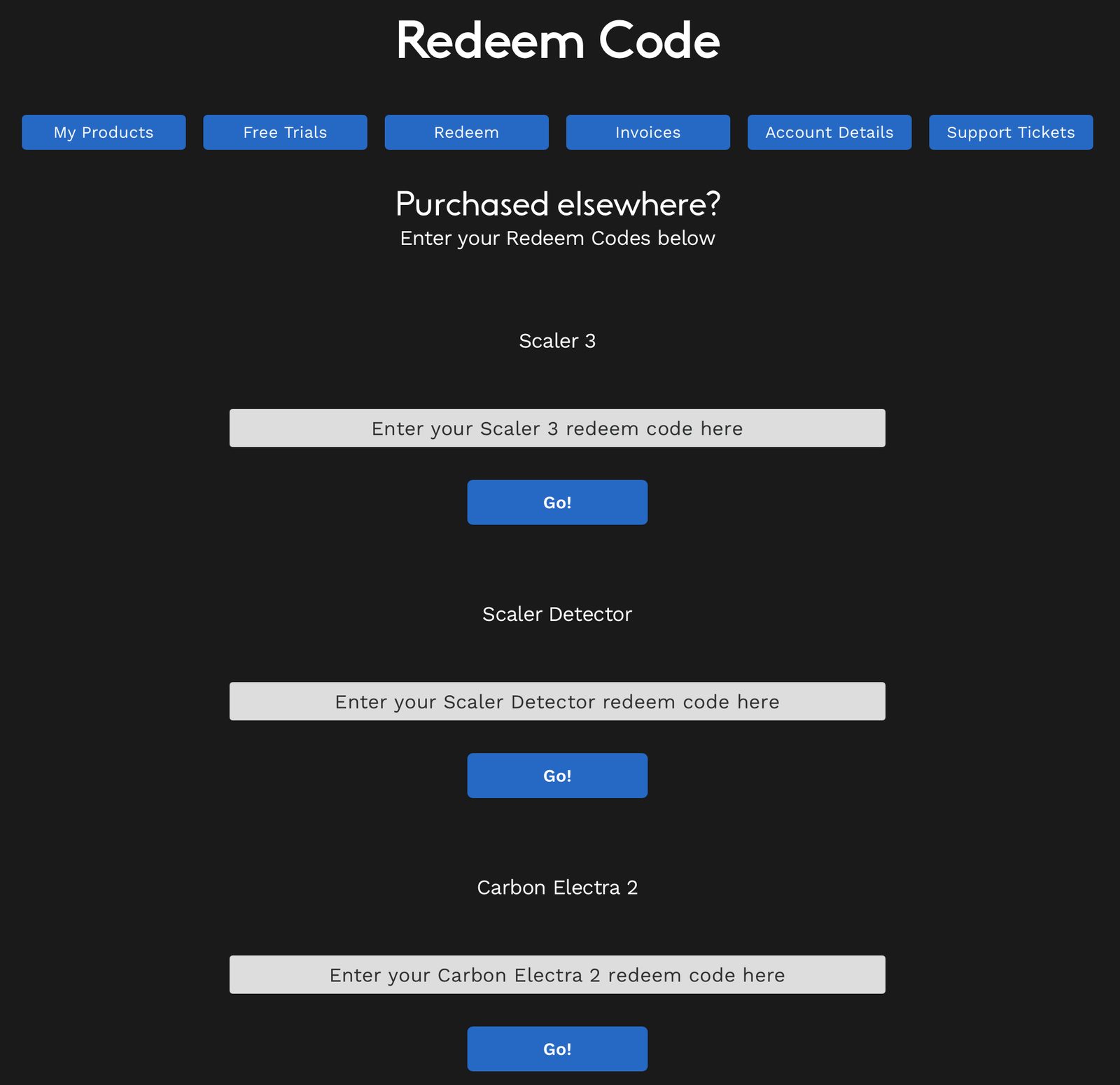
Find your product, then enter its code
Each product has its own code box. Scroll down to the product you bought, paste your full code (including redeem-) into its box and click Go!
Bought more than one product? Each code goes in its own product’s box.
Step 4
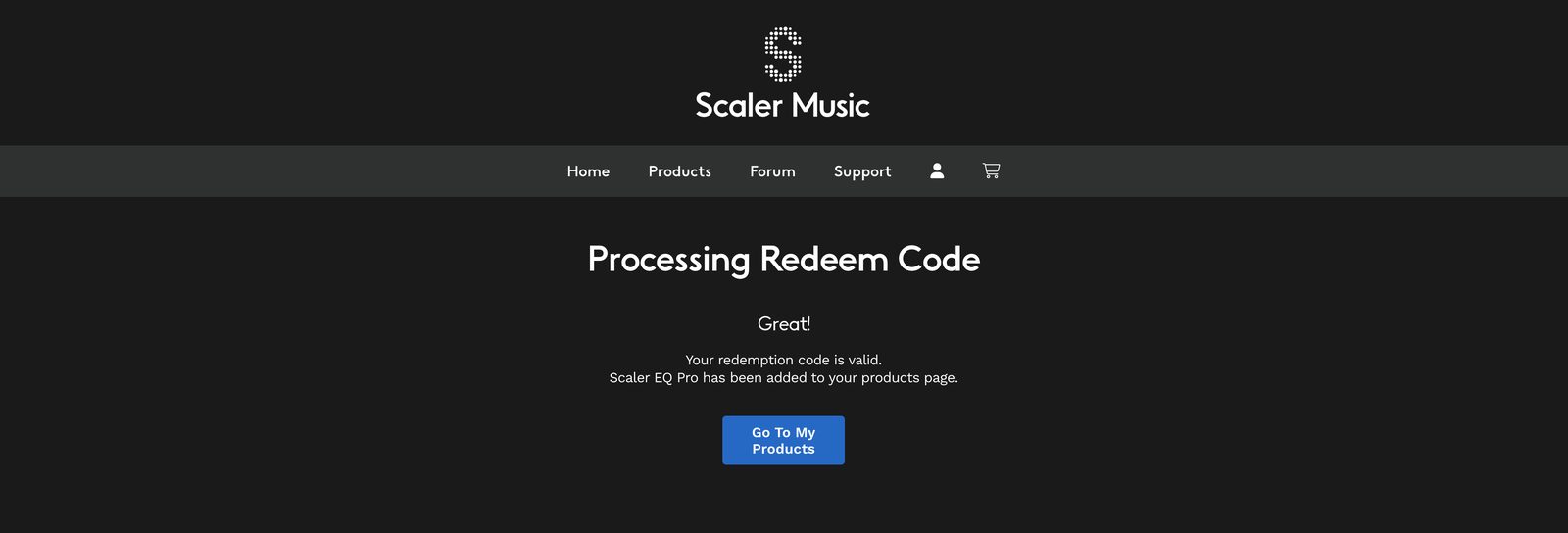
Check your code was accepted
You’ll see a confirmation that your redeem code is valid and the product is being added to your account. Click Go To My Products.
Step 5
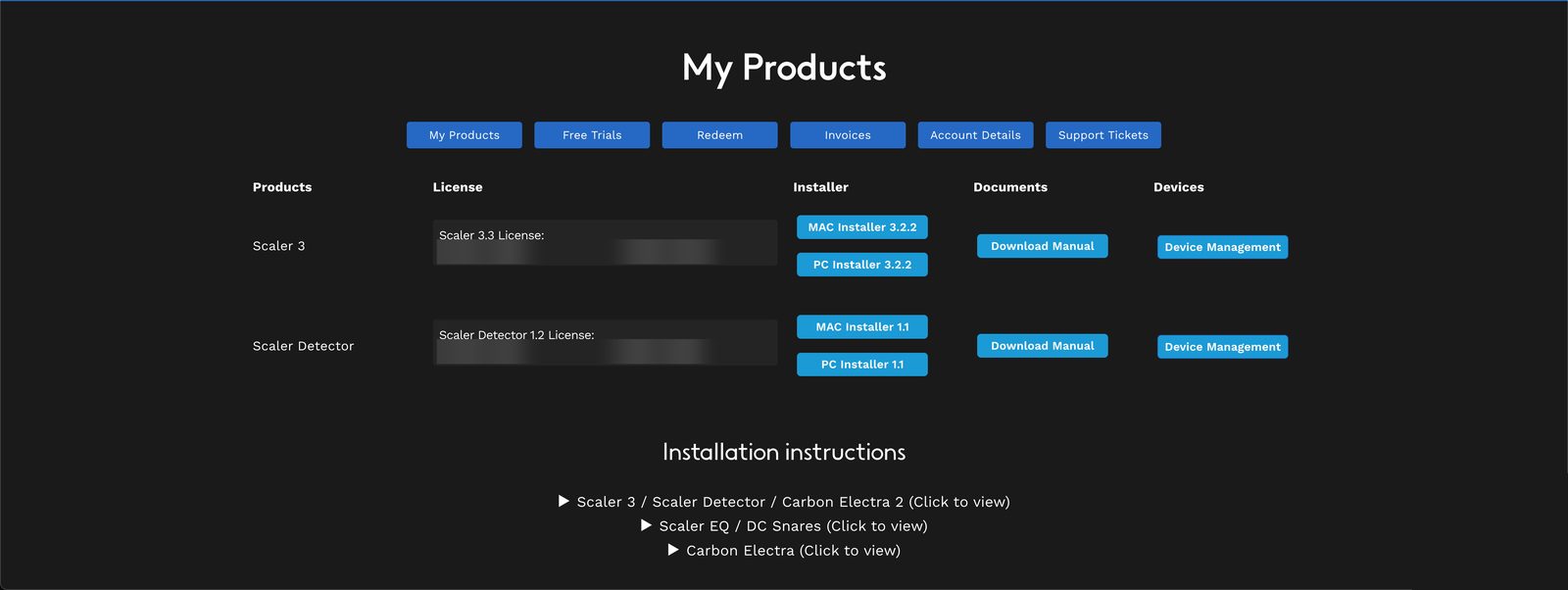
Get your licence and installers
Your My Products page shows your licence code, Mac and Windows installers, the user manual and Device Management for each product. Follow the Installation instructions at the bottom of the page to install and activate.
You can come back any time: log in at scalermusic.com/my-account and open My Products.
Common questions
Why can’t I download the installer from the store I bought from?
Your purchase is completed through a Scaler Music account. The store gives you a redeem code, and once you redeem it here, your installer and licence code appear in My Products in your Scaler Music account.
Is my redeem code the same as my licence code?
No. Your redeem code is a one-time code that adds the product to your Scaler Music account. Your licence (activation) code appears in My Products after you redeem.
Can I log in with the account I use at the store?
No. Your Scaler Music account is separate, so your store login won’t work here. If you don’t have a Scaler Music account yet, create one first. You can use any email address; it doesn’t need to match the one you used with the store.
Where do I find my redeem code?
It’s provided by the store you bought from, usually in your order confirmation email or in the downloads or orders section of your account with them. It starts with redeem-.
My code isn’t being accepted. What should I do?
Check you’ve scrolled down to the right product and entered the code in its box. Make sure you’ve copied the whole code, including redeem- at the start, with no extra spaces. If it still doesn’t work, contact our support team with your code and the name of the store you bought from.
I didn’t get the account confirmation email.
Check your junk or spam folder. You can still redeem your code straight away without it.
Where do I find my installer and licence later?
Log in to your Scaler Music account and open My Products. Your licence codes and latest installers are always there.
Still need help?
Our team is happy to help with redeeming, installing or activating your products.





As Featured