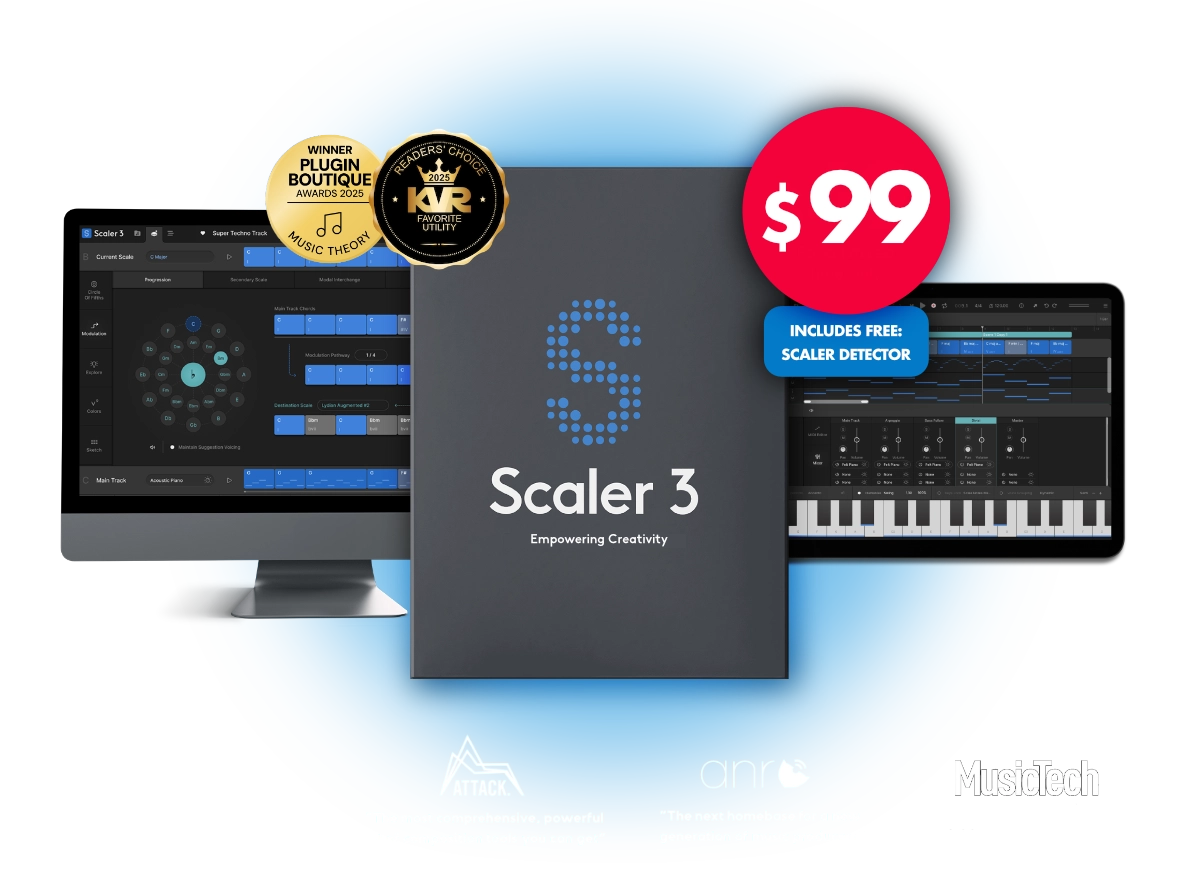
Scaler 3 helps you move from idea to finished music faster by making harmony, composition and music theory visual, practical and intuitive. Whether you’re writing your first progression or crafting sophisticated modulations, Scaler 3 helps you create with greater confidence while deepening your understanding of music.
"Scaler 3 has evolved into a fully-fledged compositional toolkit. A triumph - highly recommended."

Sound on Sound Sound on Sound are one of the oldest and respected audio engineering publications in the industry.
"Scaler… I love it!"

Jean-Michel Jarre Electronic Music Pioneer. Composer, Performer and Record Producer. Legend
"Scaler 3 is THE game changer. My life just changed right there."
Carl Cox One of the most celebrated and recognised DJs & Producers on the planet
"Scaler 3 delivers the most comprehensive, powerful set of composition tools you can get."

Attack Magazine Electronic music magazine dedicated to dance music production and culture
"Scaler 3 opens up a whole new world of possibilities. For beginners and for seasoned composers, it’s a fantastic gateway into the world of harmony and composition."

Daryl Bennett Oscar-contender, Multi-award-winning, Grammy-nominated, Film, TV and Games Composer
"Scaler 3 is an incredibly powerful music theory tool. It's a gamechanger for both beginners and seasoned producers. Highly recommended!"

David Wills Michael Jackson, Whitney Houston, Phil Collins, Diana Ross, Chicago
"Scaler 3 has become a fully fledged compositional 'workhorse' of a plugin. Just when I thought Scaler couldn't get any better, it did – and wow!!"
Lloyd Brown One of the UK’s most respected reggae vocalist/songwriter/producers, with a string of hit singles and critically acclaimed albums
"Scaler 3 is the most advanced chord progression generator on the market, but it's far more than just that – it's a complete platform for creating."
Music Tech The world's leading media brand at the intersection of music and technology.
"Scaler 3 unlocks new creative possibilities with mastery and class. It feels like a full-fledged experience – in a way that’s accessible, regardless of skill level."
AudioNewsRoom Online music technology magazine with news, reviews and interviews
"My experience with Scaler 3 has shown me that it truly pushes the boundaries of what's possible in digital music production."

Greg Kocis New York City-based producer/songwriter, multi-instrumentalist, creative force behind Stars in June
"Scaler 3 represents a major step forward. It's the definitive market leader and industry standard for composing and editing chord progressions."
Buenasideas 17-year-old German media outlet with over 3,400 news articles and over 500 reviews published
"Scaler 3 is a gamechanger for many reasons. Scaler 2 was brilliant, but Scaler 3 takes it to a whole, whole new level and makes it much easier."
The Sound Test Room The internet's favourite test driver of music production apps and software
"Scaler 3 is not just smarter, but much more useful to you as a producer"

Sanjay C Music Production YouTuber, Keyboard Magician
"Scaler 3 is a total win for all producers, it’s intuitive, powerful and keeps you locked in that creative sweet spot. Beginners can lean on it for inspiration, and pros can use it to cut through the grind"

Larry Ohh Music Production YouTuber with over 20 years of experience
"It's going to take you there. It's going to help you out writing good-quality, interesting music"
Pawel Uszynski, Folia Soundstudio Music Production YouTuber. Opinionated but fair.
"This is like a Swiss army knife of coming up with chord progressions!"

Taetro Music Production Creator and Livestreamer
How Scaler 3 helps you create
Songwriting
Build richer chord progressions, discover fresh ideas and overcome writer’s block with intelligent harmonic suggestions.
Film & Media Scoring
Explore advanced harmony, emotional modulations and orchestral progressions for cinematic composition.
Learn While You Create
Visualise harmony, scales and chord relationships as you work, naturally building your musical understanding.
Production & Performance
Generate melodies, basslines and performances, arrange complete songs and drive your favourite instruments inside your DAW.
Highlights
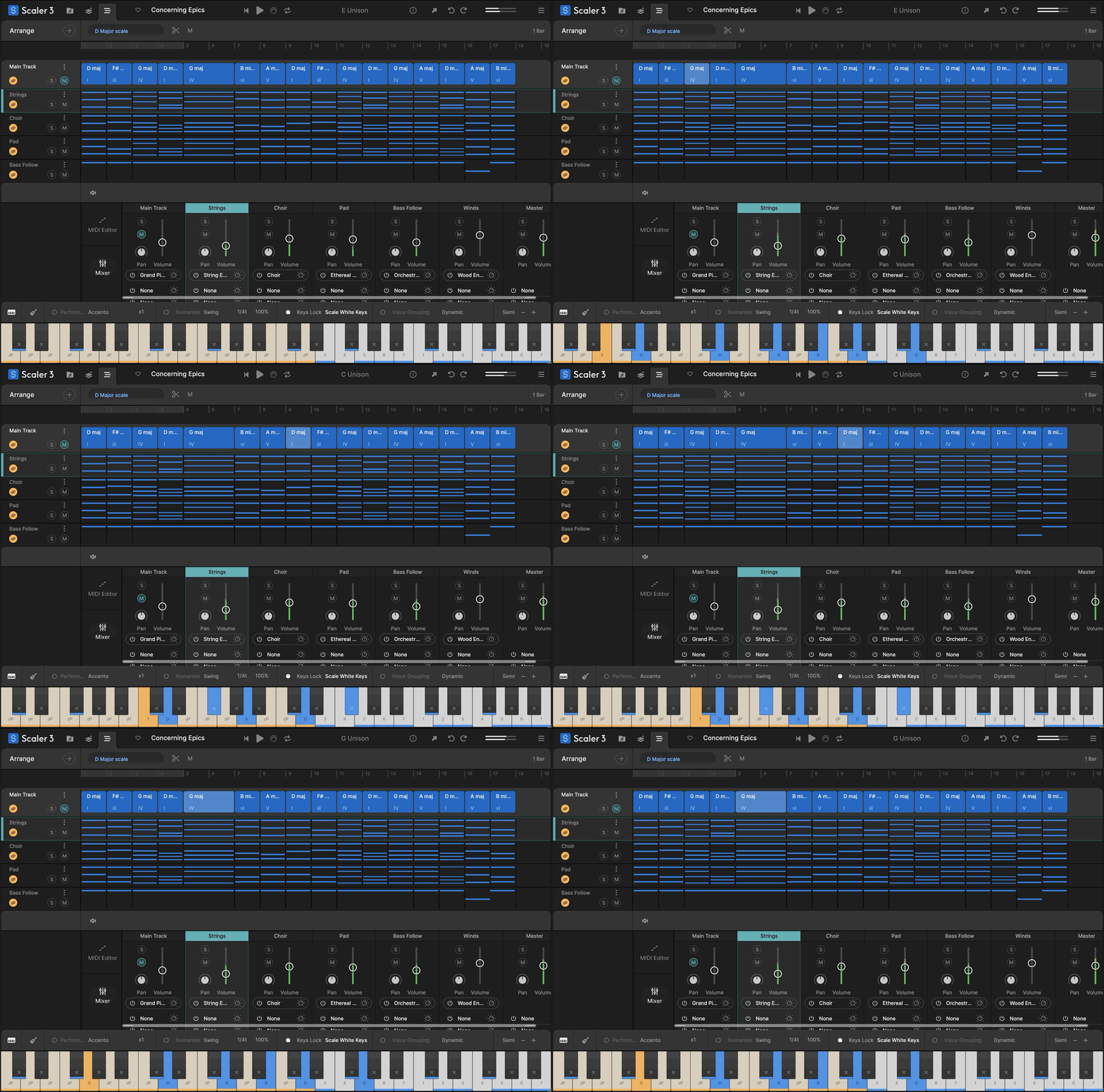
Build Progressions
VST/AU Hosting
Multi-Lane Timeline
Explore Page
Motions
Modulation Pathways
Note Editing & Modifiers
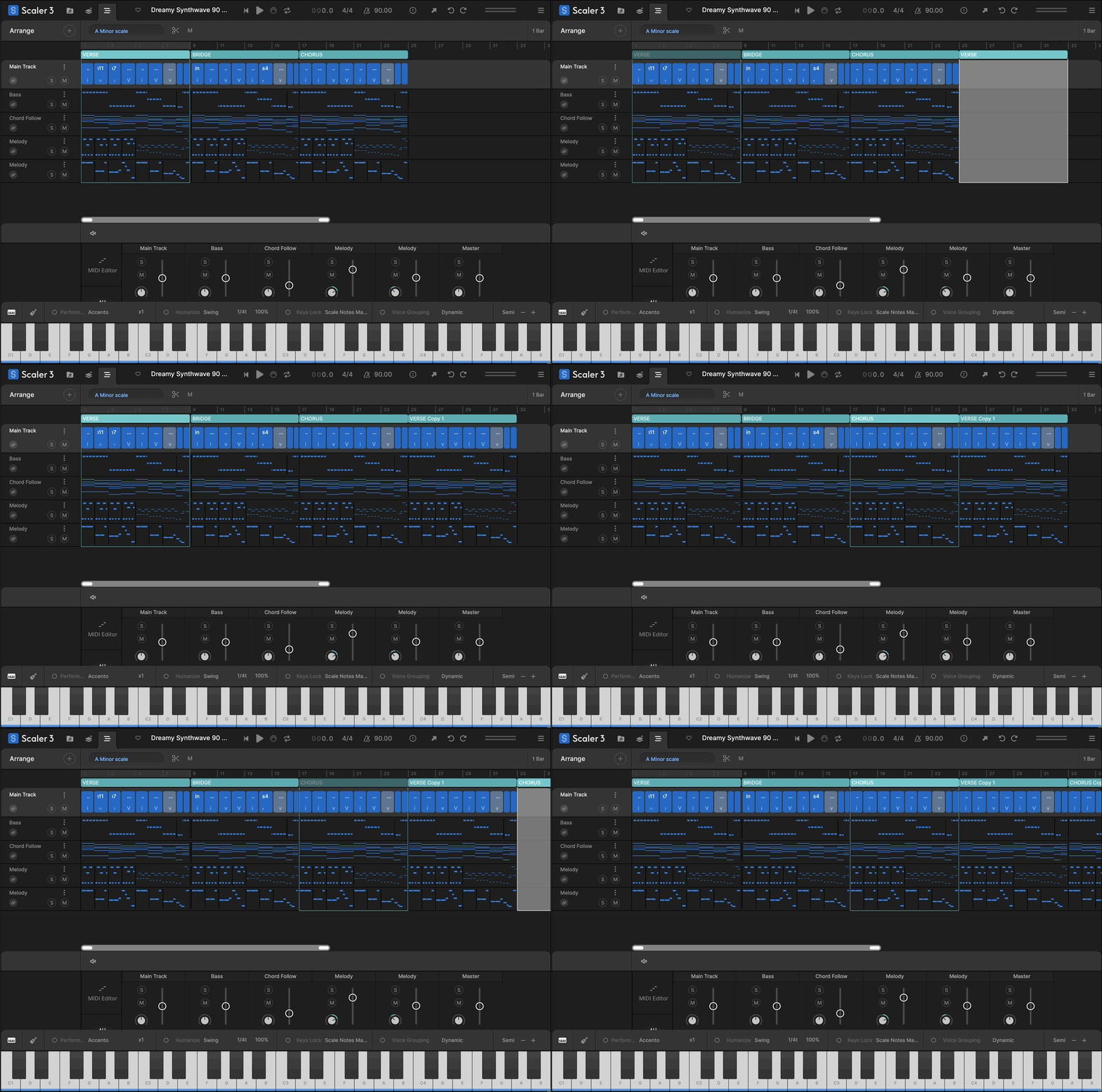
Scenes
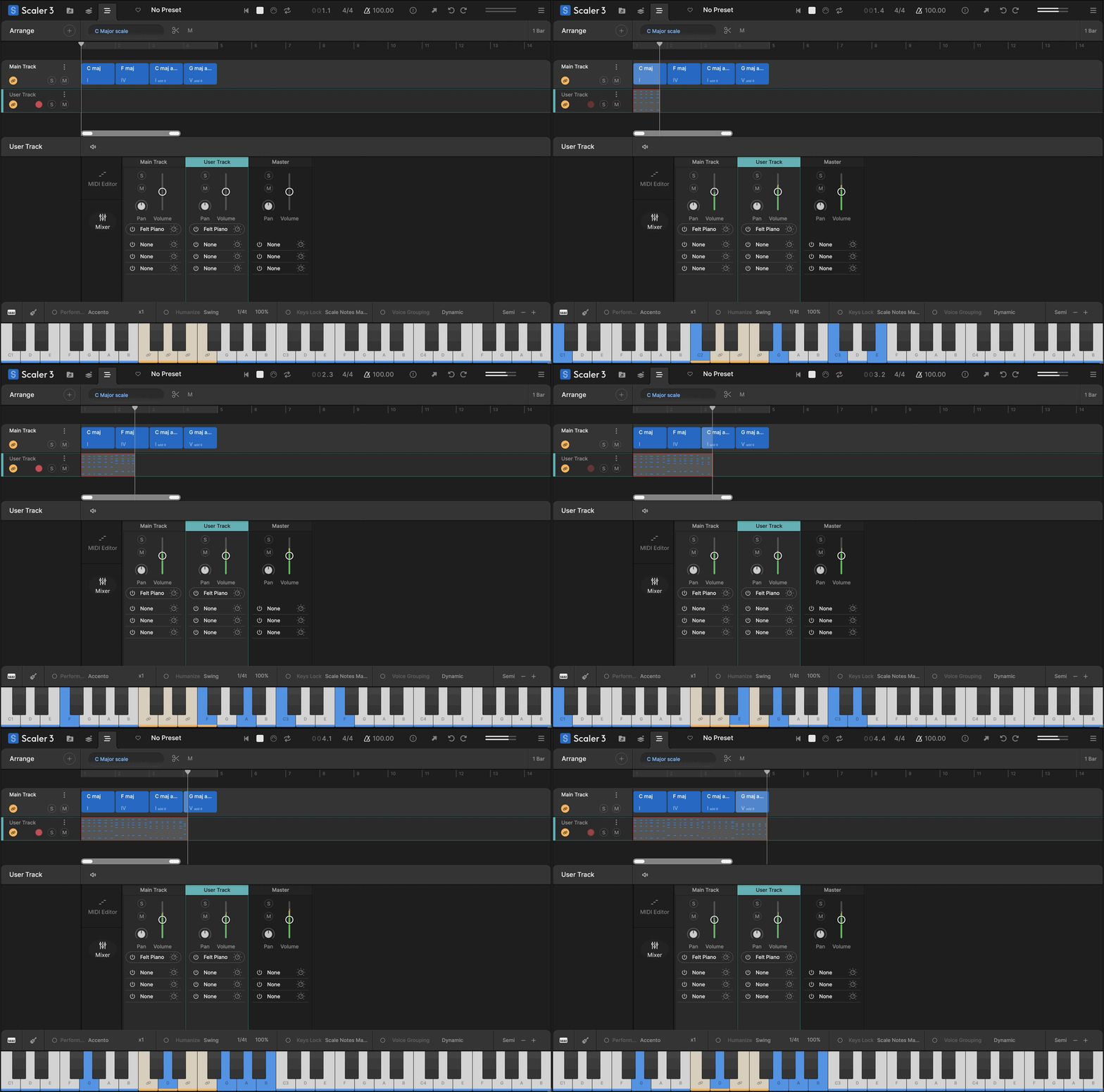
User Track Recording
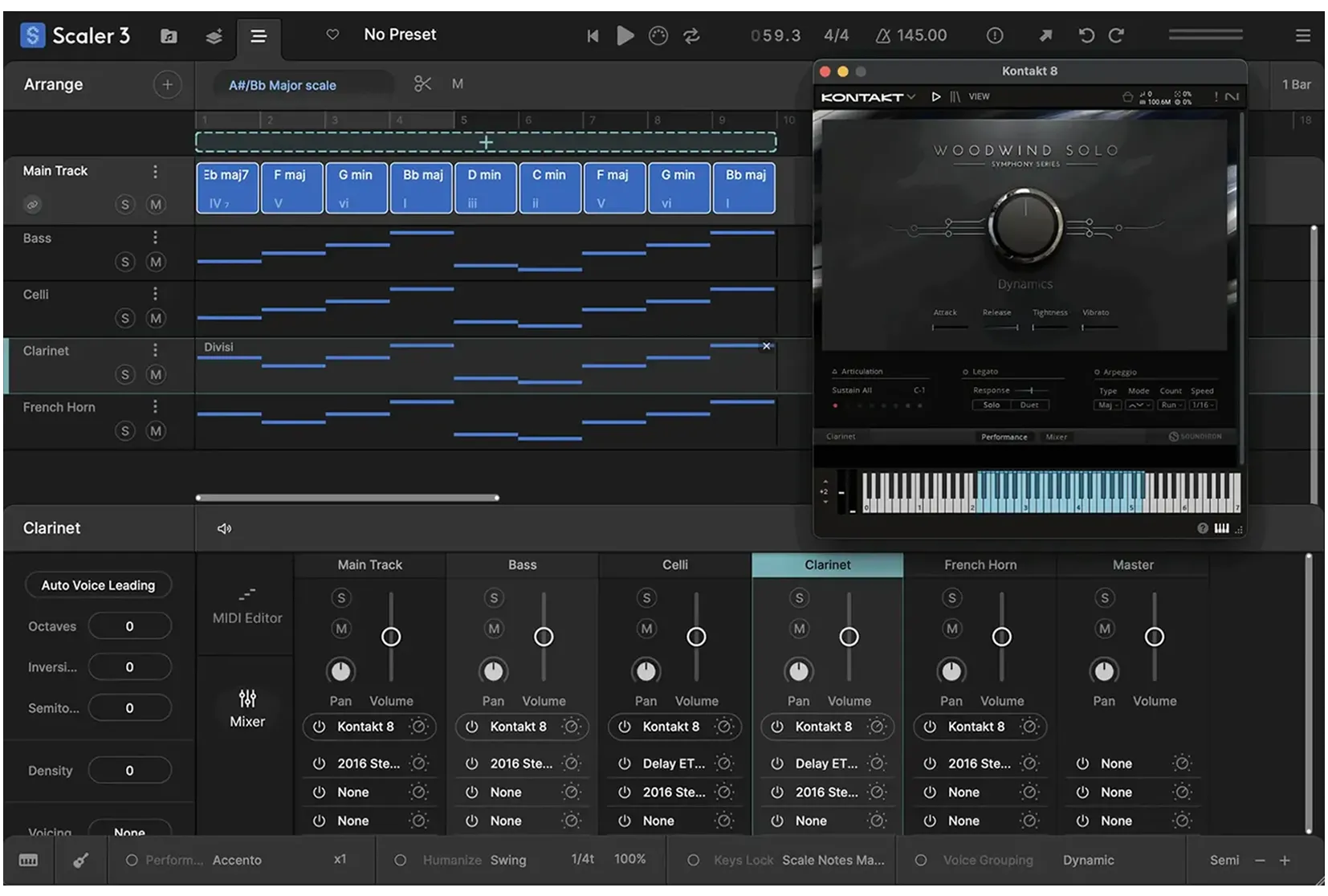
Divisi and Bass Follow
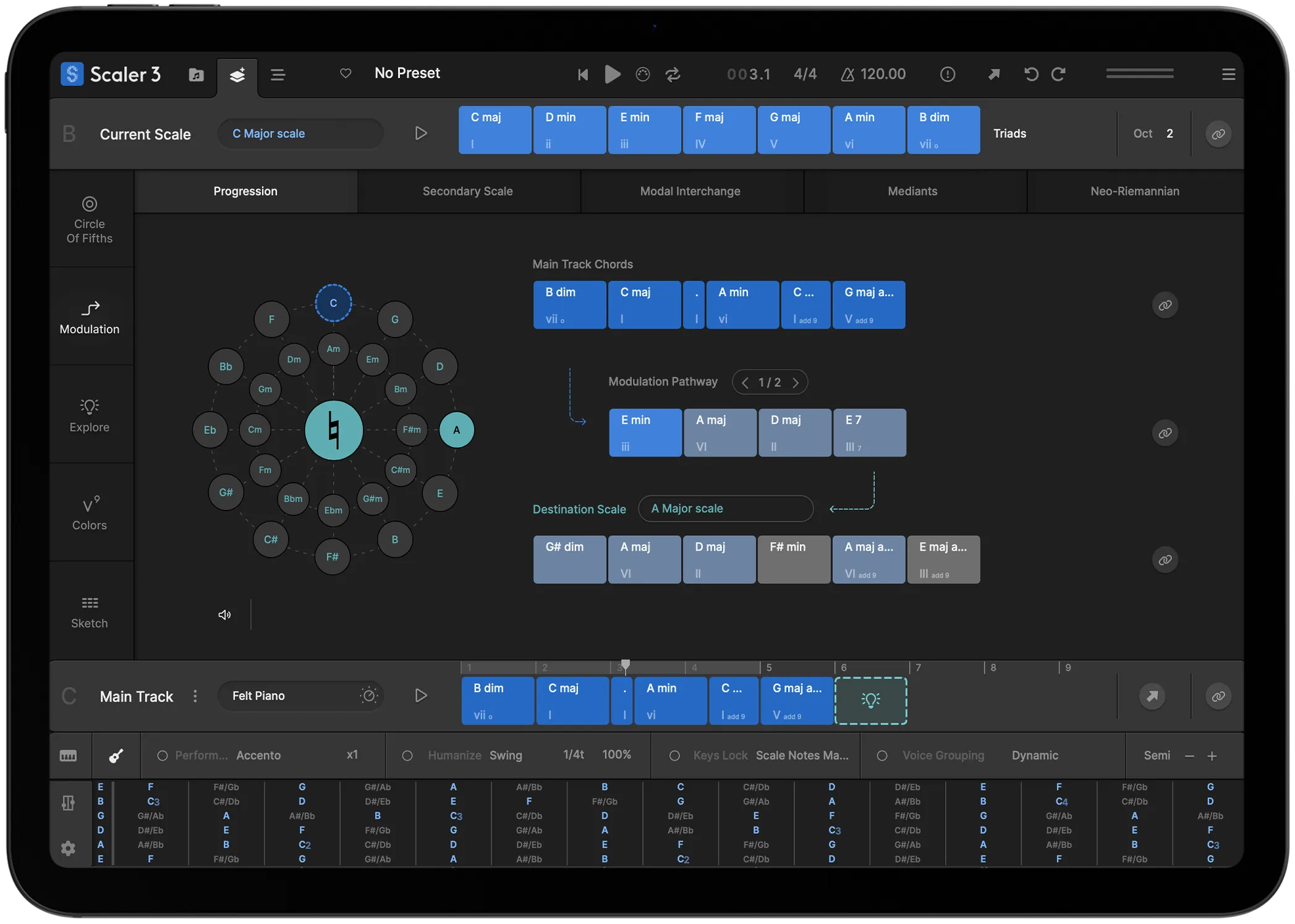
Scaler 3 for iPad
Multi-Bind
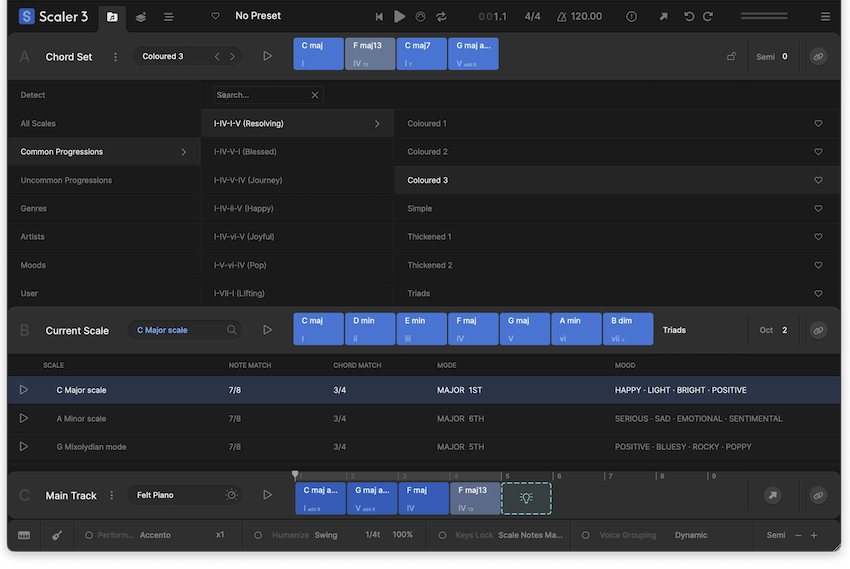
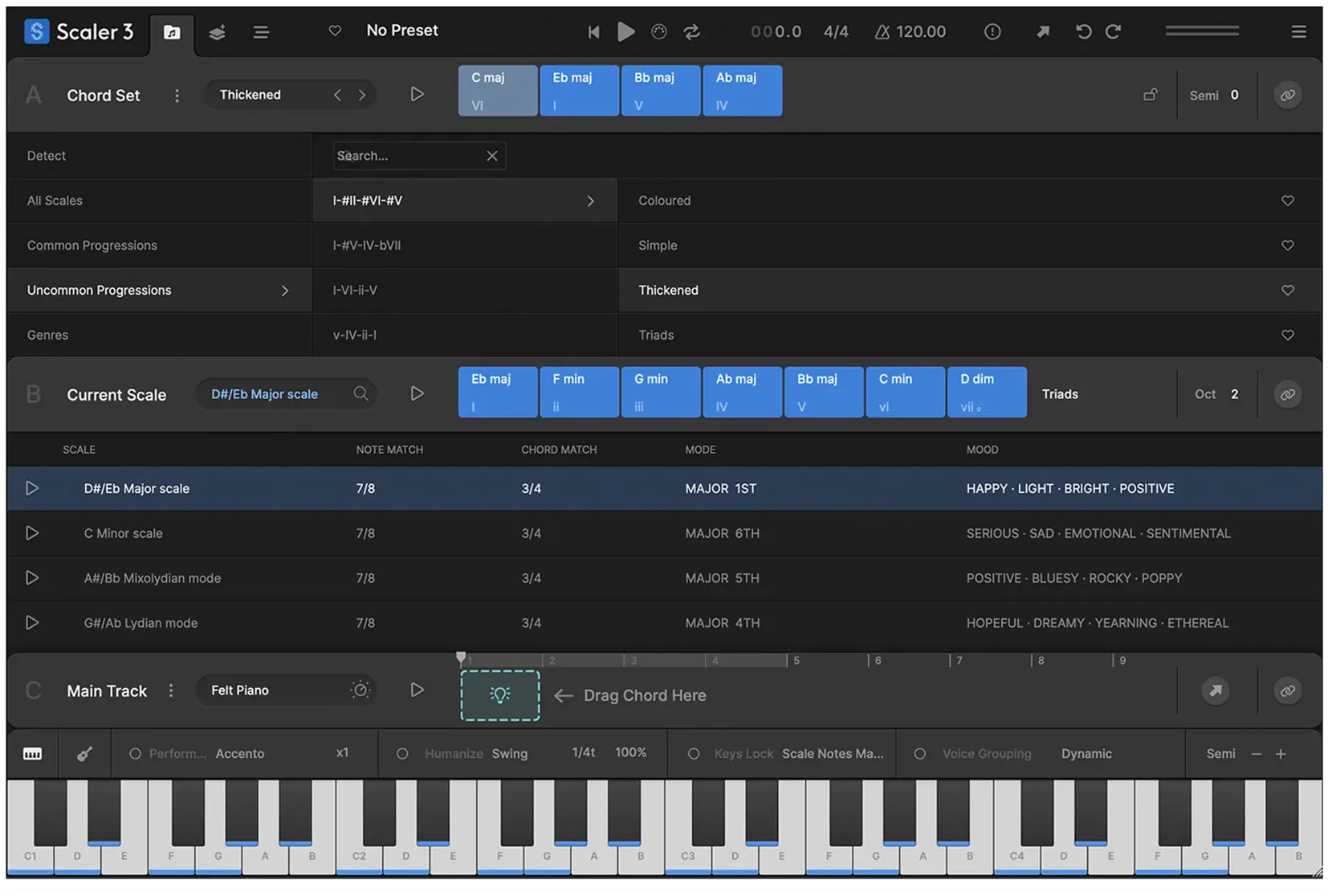
Drag and drop chords to build a progression. Choose from hundreds of chord sets — categorised by artist, genre, or mood — and Scaler will show you which parent scales fit. Stuck for ideas? Ask Scaler to suggest chords that will work next.
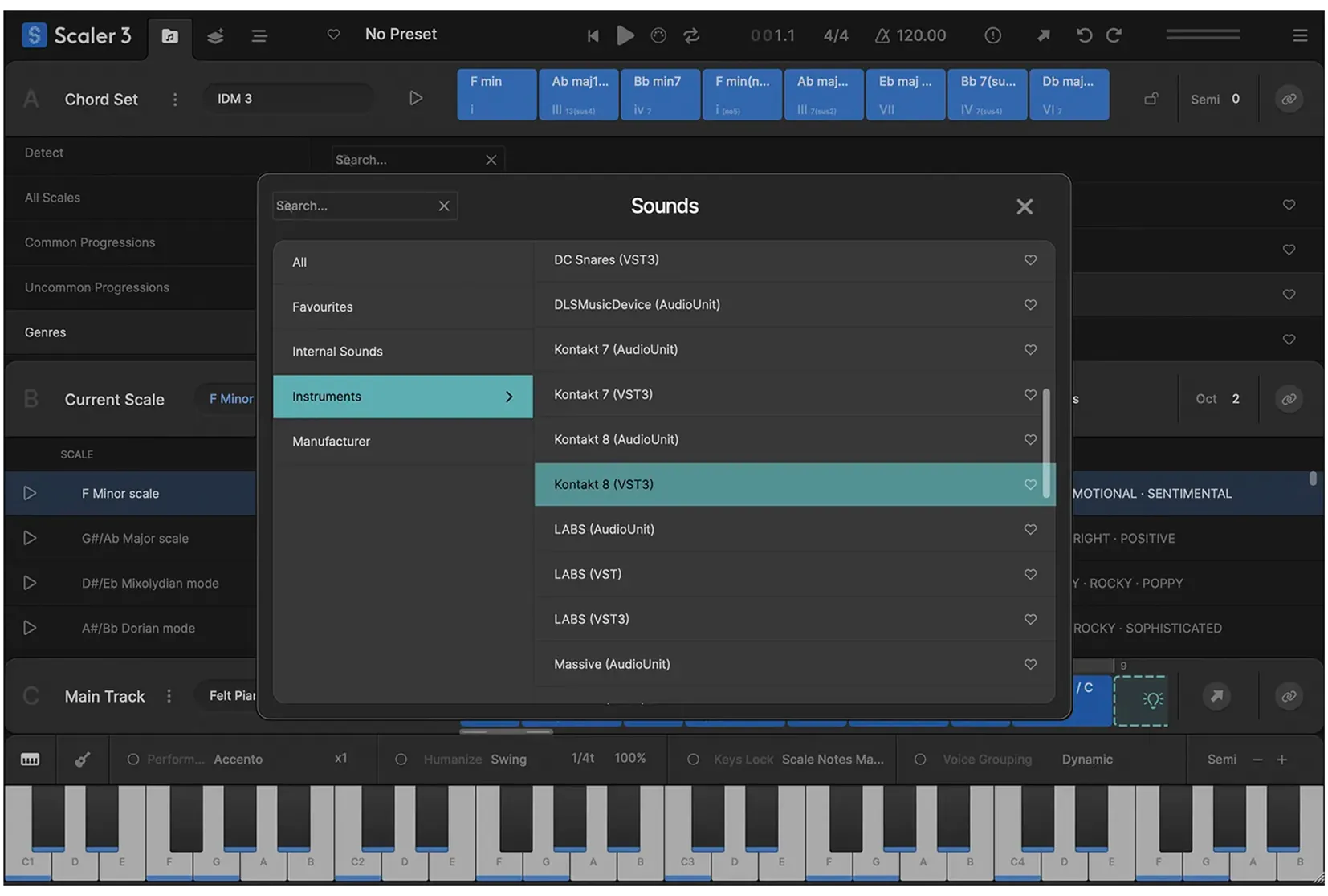
Load your favourite third-party instrument and effect plugins directly onto Chord Tracks and MIDI Lanes, with full support for both MIDI and audio effects. Seamlessly integrate your sounds and expand Scaler 3’s creative potential within your workflow.
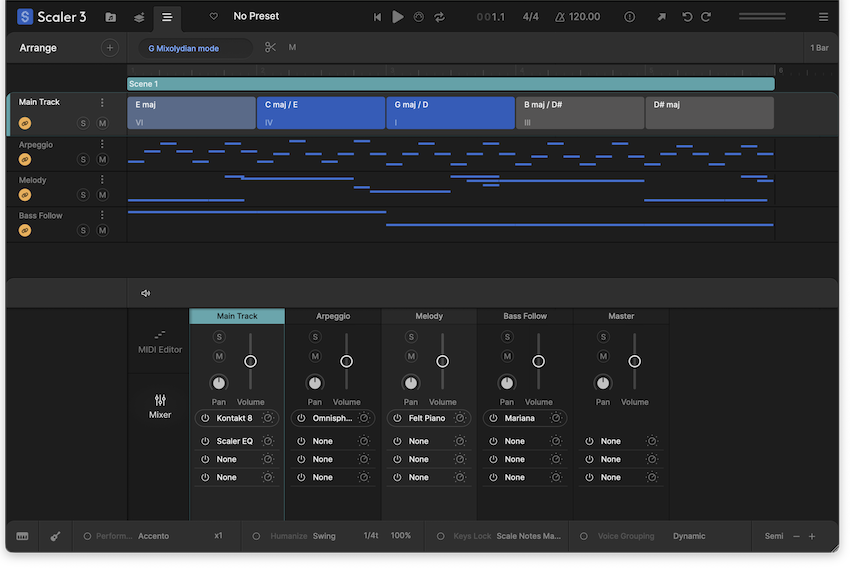
The Arrange page now includes a timeline-based layout with dedicated lanes for chords, melody, bass, and phrases. Each lane is synchronized with the main chord track, and clips are fully adjustable with independent control per lane or clip.
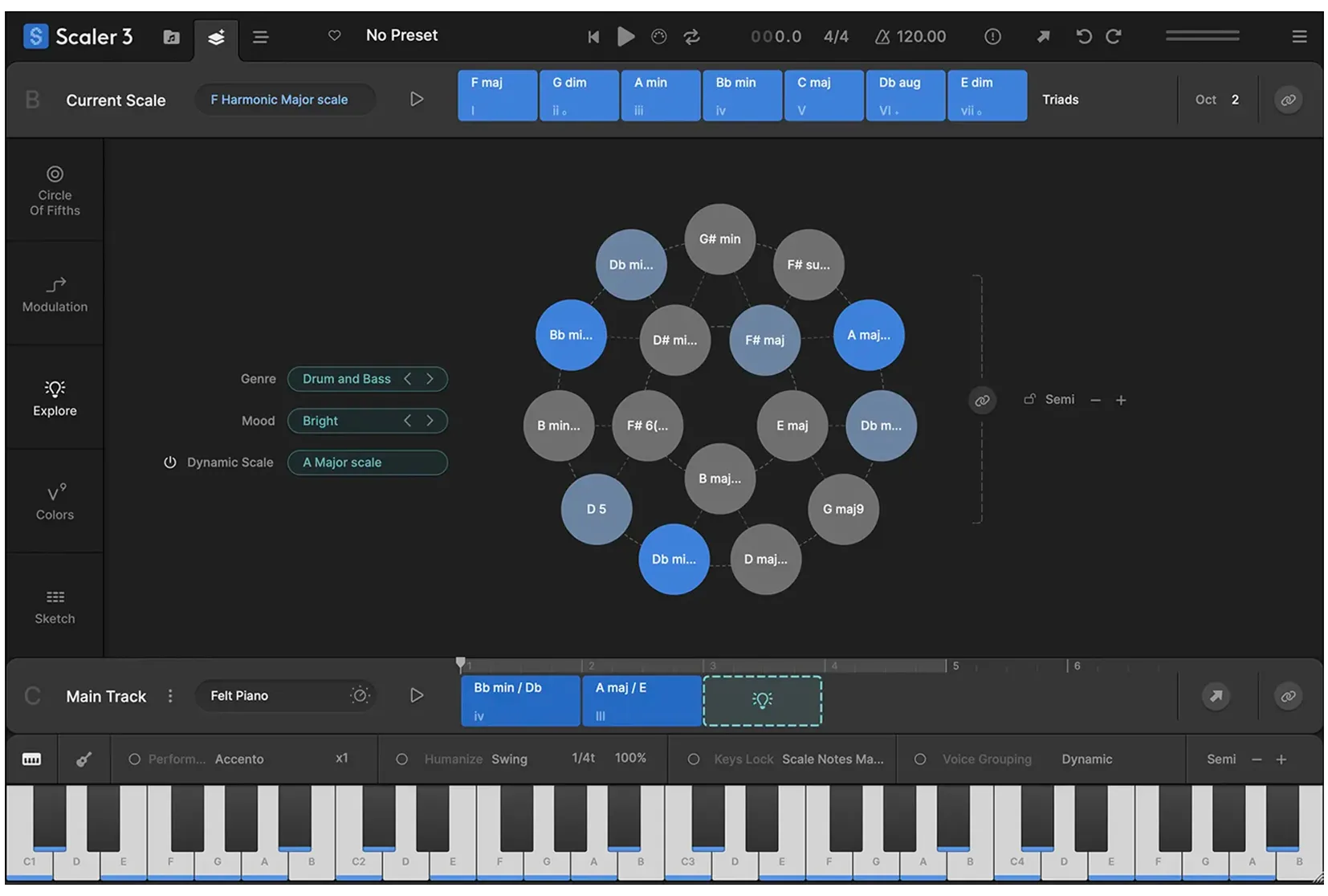
Discover a Harmonic Universe of chords untied to any specific scale. Categorized by genre and feel (EG, Dark, Bright, Neutral), the Explore page suggests compatible and experimental chord progressions, unlocking new paths for unique and bold harmonic structures.
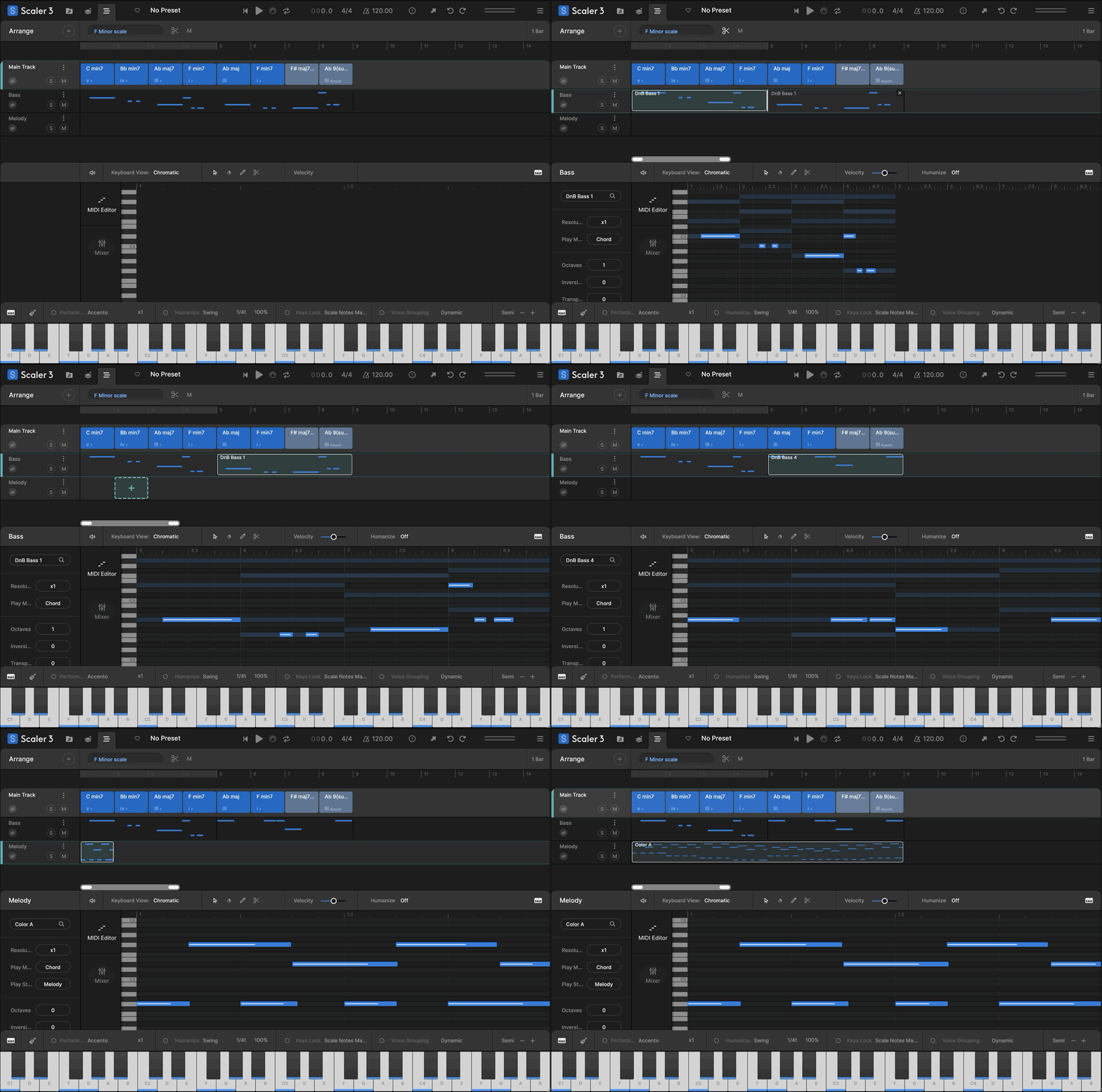
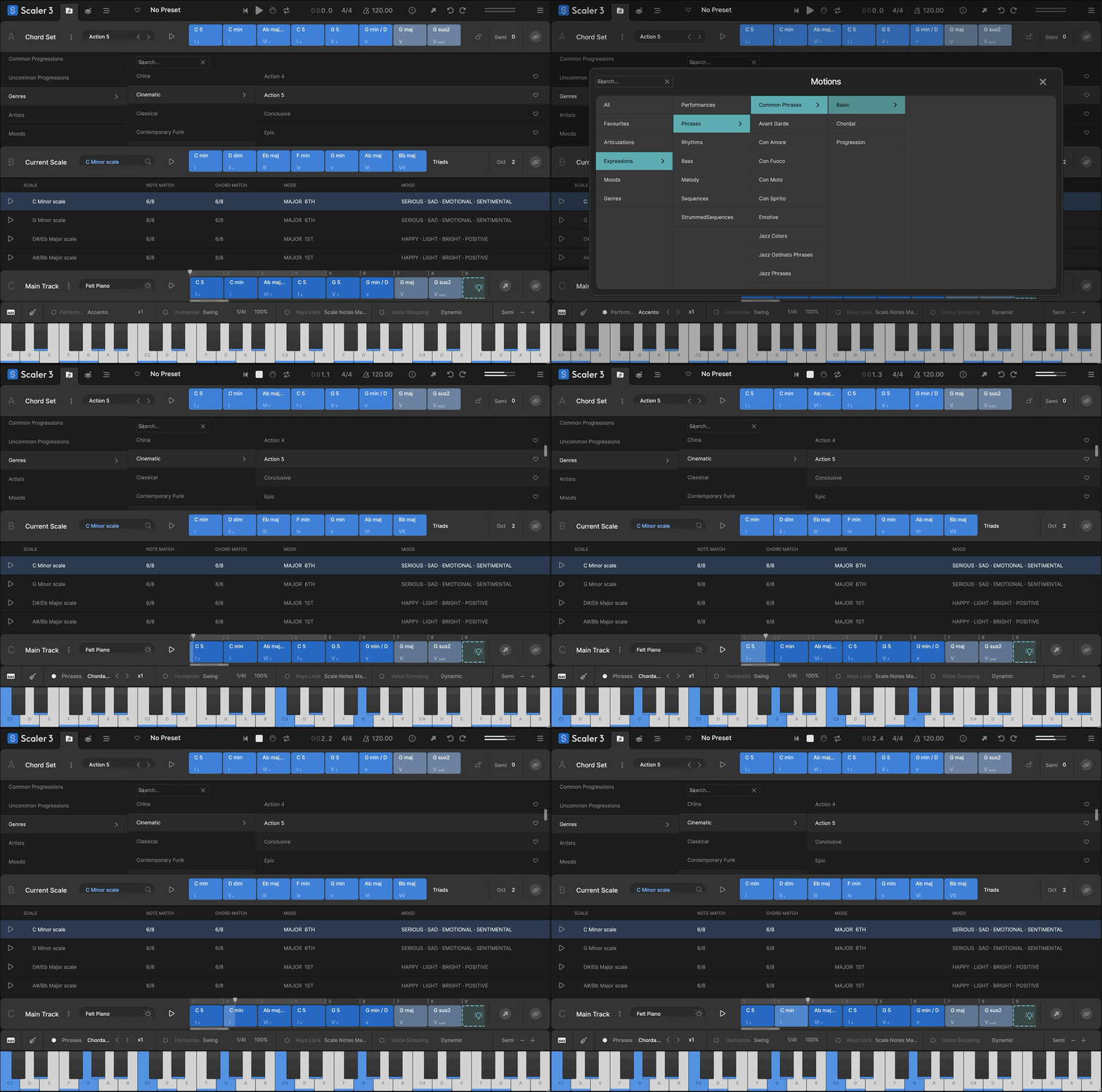
Scaler’s beloved Phrases, Performances, Melodies, and Basslines are reimagined as Motions, now with mood-based tags for easier browsing. Scaler 3 introduces hundreds of new Motions crafted by professional musicians, including the all-new Passages Motion.
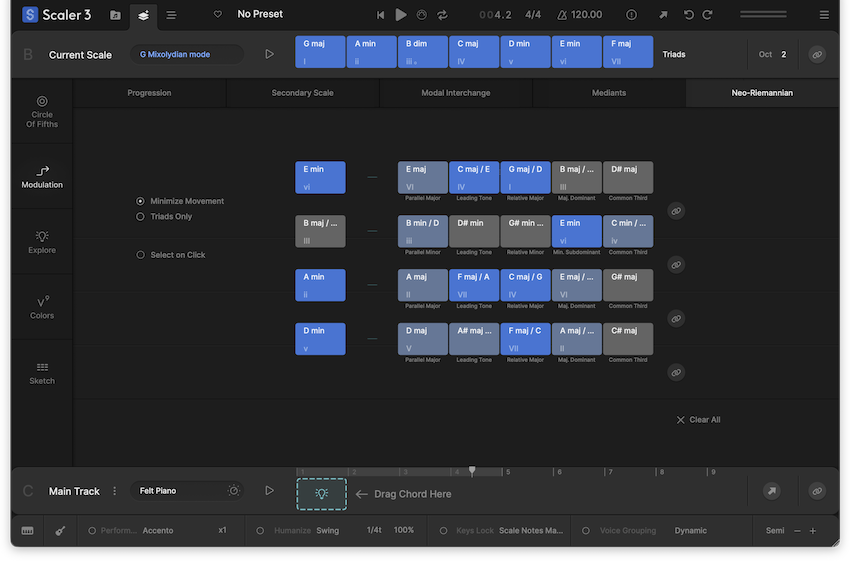
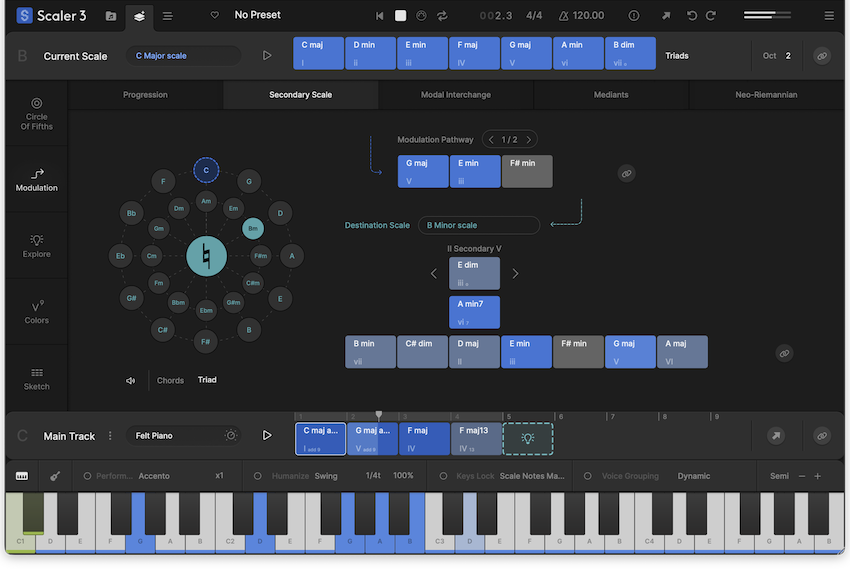
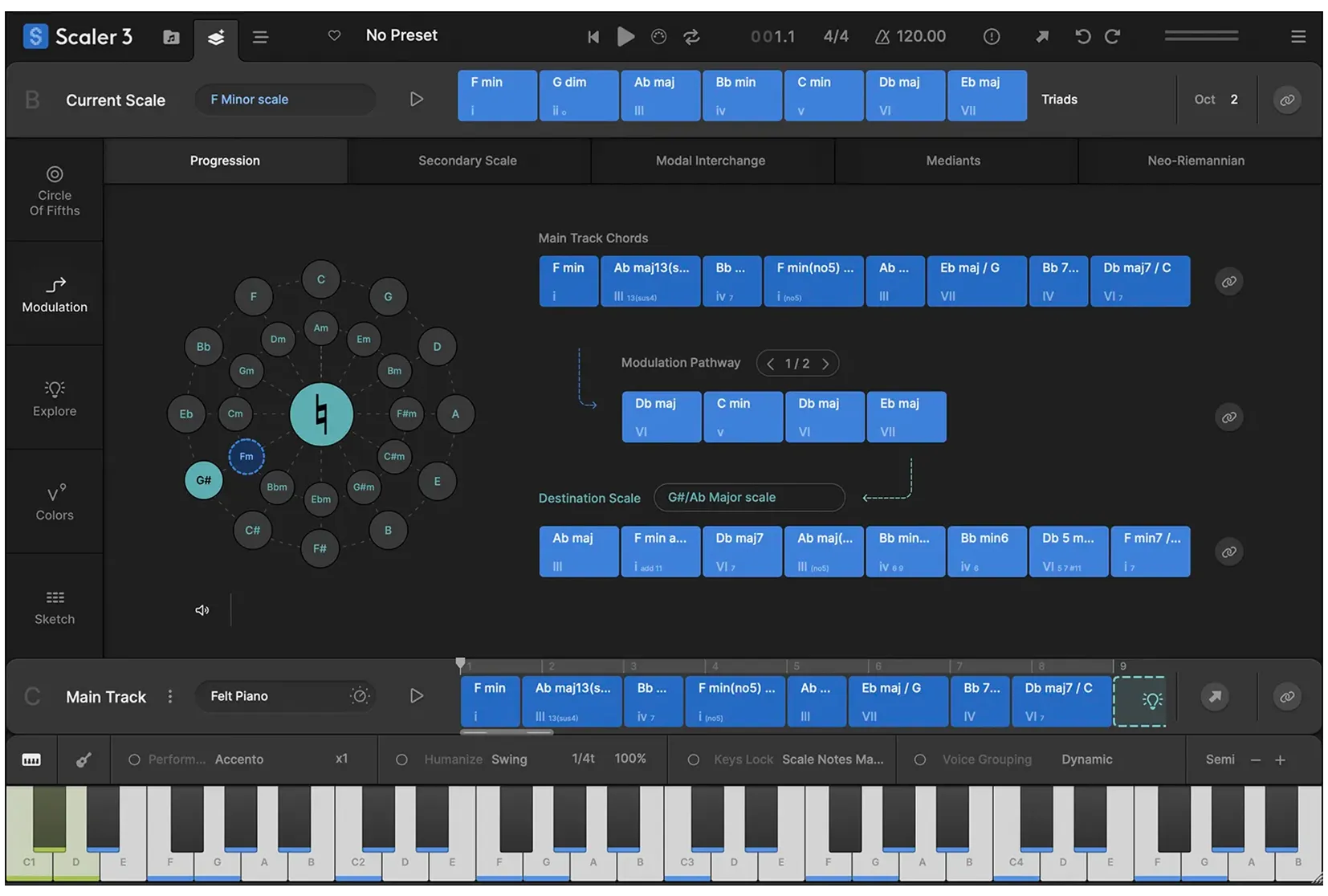
Solve your modulation puzzles with Scaler’s suggested pathways. Choose a destination scale and Scaler will offer multiple ways to reach it. You’ll also find Modal Interchange, Mediant and Neo-Riemannian modulation methods here too. Use the Circle of Fifths to explore related chord substitutions and variations that expand your harmonic options.
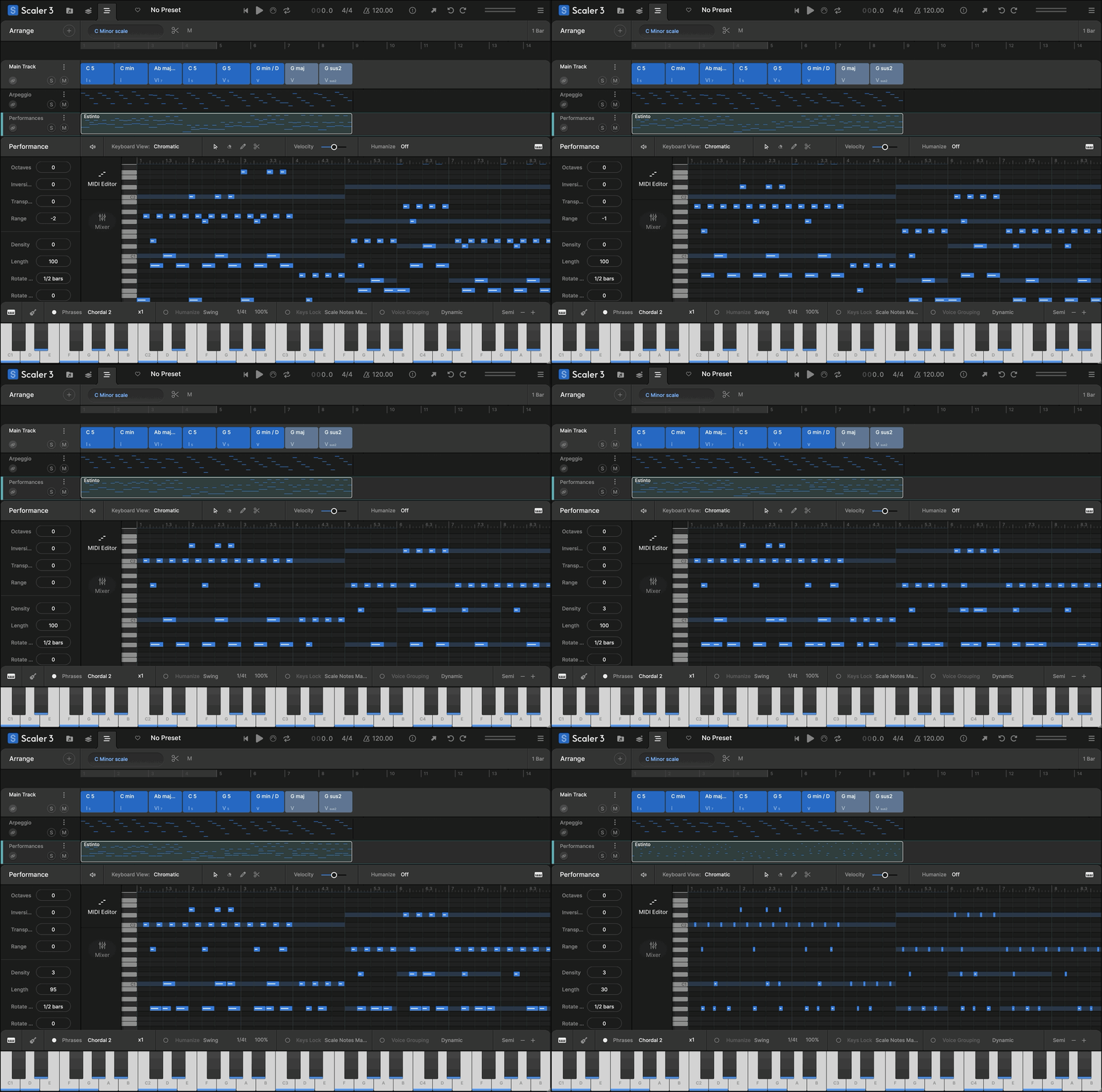
A comprehensive note editing matrix allows users to customize or create new Motions. MIDI lanes can be set to follow or run independently of Chord Tracks, with new Harmonic Modifiers and Motion Controls to adjust note range, density, pitch, and clip rotation – all within the chosen scale.
Create evolving arrangements with Scenes. Build, duplicate, and arrange chord variations or sections to structure full tracks quickly and intuitively. Perform each Scene independently to explore different ideas or arrange full arrangements.
Record melodies, chords, and ideas directly into Scaler’s piano roll. Capture chord triggers or Keys Lock performances and refine them with full MIDI editing and harmonic guides.
Control how chord voices are split across instruments with full Divisi and voice allocation, sending upper and lower notes to separate Scaler instances for realistic ensemble writing and richer layering. The Bass Follow Track automatically generates basslines that follow the root of your chord track.
Scaler 3 for iPad hosts AUv3 plugins, lets you build full arrangements, and works seamlessly with your favourite iPad music apps. Create on iPad, then bring your ideas into Scaler 3 on desktop. Available separately on the App Store.
Bind multiple tracks together with Multi-Bind to create and perform complex arrangements with ease. Loop different sections, jump between parts, and audition individual tracks by muting or unmuting lanes, giving you more flexibility to experiment with your musical ideas.
Watch Scaler 3 in Action


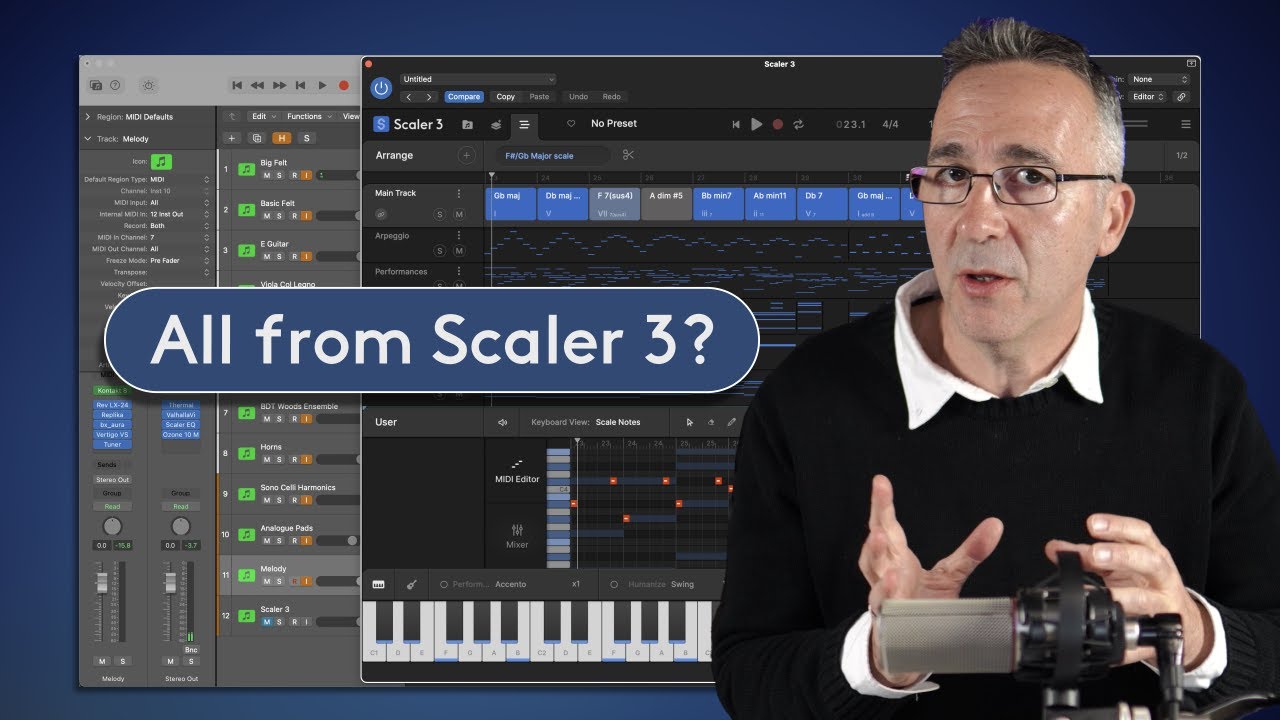



Scaler 3 Key Features
- Access over 1,000 chord sets, keys and modes, categorised by mood, artist and genre, including artist sets from Carl Cox, MJ Cole and The Temper Trap, across genres from Chill and Drum & Bass to Jazz, Cinematic, Pop, and Metal.
- Build intelligent chord progressions with chord suggestions, sequencing and automatic voice leading for smooth musical results.
- Create evolving arrangements with Scenes, letting you build, duplicate and arrange chord variations or song sections quickly.
- Use the Arrange Page timeline with dedicated lanes for chords, melody, bass and phrases, all synced to the main chord track.
- Detect chords, keys and scales from MIDI and Audio, then discover compatible chords that match your music.
- Transform chords into melodies, arpeggios, basslines and phrases with Scaler’s musician-made Motions library.
- Control chord playback from your MIDI keyboard with Bind to Keyboard for one-finger chords, melodies and arpeggios.
- Perform chords and Motions simultaneously with Multi-Bind, allowing you to loop multiple lanes at once for live performance, jamming and fast composition ideas.
- Combine different Motion types across multiple tracks, then move and audition them freely to build fuller melodic, bass, arpeggio and phrase-based arrangements.
- Edit performances with piano roll editing and creative modifiers for transposition, density, range and variation.
- Host your favourite VST and AU instruments and effects directly inside Scaler 3.
- Route chords, melodies, Scenes and performances to external instruments or plugins with full External MIDI Out.
- Sync chords across multiple Scaler 3 instances with Live Sync, keeping progressions consistent across your project.
- Create realistic ensemble parts with Divisi and advanced voice allocation, sending different voices to separate instruments.
- Generate basslines automatically with Bass Follow Track, following the root note of your chord progression.
- Explore harmonic movement with the Circle of Fifths, chord substitutions, extensions and related harmonic options.
- Use professional Modulation Suggestions to move between keys through progressions, secondary scales, modal interchange, mediants and Neo-Riemannian pathways.
- Experiment with Voice Grouping and advanced voicings, including drop voicings, guitar voicings and range-based chord shaping.
- Use the Explore Page to discover chords outside a fixed scale, including brighter, darker, compatible and adventurous options.
- Expand your harmonic vocabulary with the Colors Page, including substitutions, inversions, extensions, variations and parallel/negative harmony.
- Compare up to seven progressions side by side in the Sketch Pad.
- Record directly into Scaler’s piano roll with User Track, capturing melodies, chords, chord triggers and Keys Lock performances as editable MIDI.
- Play progressions with 50 internal sounds, including pianos, synths and orchestral instruments.
- Work in Standalone Mode without opening a DAW.
- Create ideas on iPad, then continue seamlessly in Scaler 3 on desktop. iPad version sold separately.
- Sync with your DAW’s position, tempo and time signature, or work independently using Scaler’s internal cycle tools.
- Get started quickly with a step-by-step onboarding tutorial.
System Requirements
macOS
- macOS 10.14 or higher
- Natively compatible with Apple Silicon
- Standalone and Plugin Formats: VST, VST3, AU, AAX
- DAW’s Supported: Ableton Live, Pro Tools, Logic Pro, FL Studio, Cubase, Studio One, Bitwig, Reaper, Reason + more.
- Compatibility: 64-bit compatible only
Windows
- Windows 8 or higher
- Standalone and Plugin formats: VST, VST3, AAX
- DAWs supported: Ableton Live, Pro Tools, FL Studio, Cubase, Studio One, Bitwig, Reaper, Reason + more.
- Compatibility: 64-bit compatible only
Important Notes:
- Scaler 3 for iPad is not included with the desktop version and is available as a separate purchase on the Apple App Store.
- Scaler Detector is included for all new purchasers of Scaler 3. Existing Scaler 3 owners can download Scaler Detector via My Products.
- Scaler 2 owners can upgrade to Scaler 3 for $39 via My Products, or through your original place of purchase.


As Featured